 Dashcam Export
Free
$0
Everything you need to review and export. Exports carry a watermark.
- All supported cameras
- Multi-camera sync, up to six angles
- All five layouts
- GPS route maps, burned in
- No limit on clips or length
Review, edit, and compile multi-camera dashcam footage on macOS.
Free to use, with no limit on clips or length. Pro is a one-time unlock for watermark-free exports and privacy tools.
Pro unlock is a one-time $39.99 USD. No subscription.
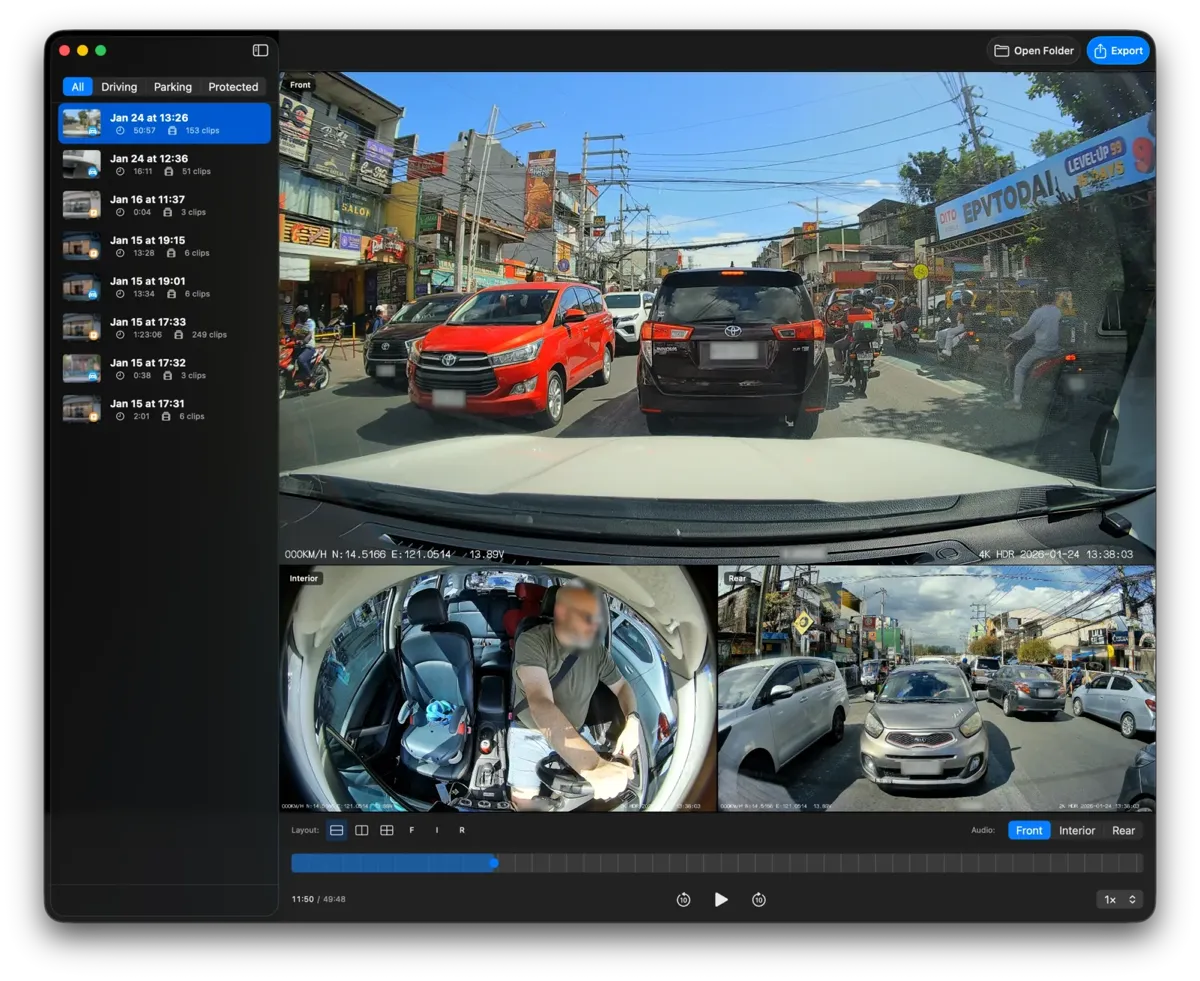
Every feature exists because I needed it. No bloat. No compromises.
Multi-angle export
Up to six cameras, front, rear, interior and sides, play and export as one video.
Import a drive, pick a layout, export.
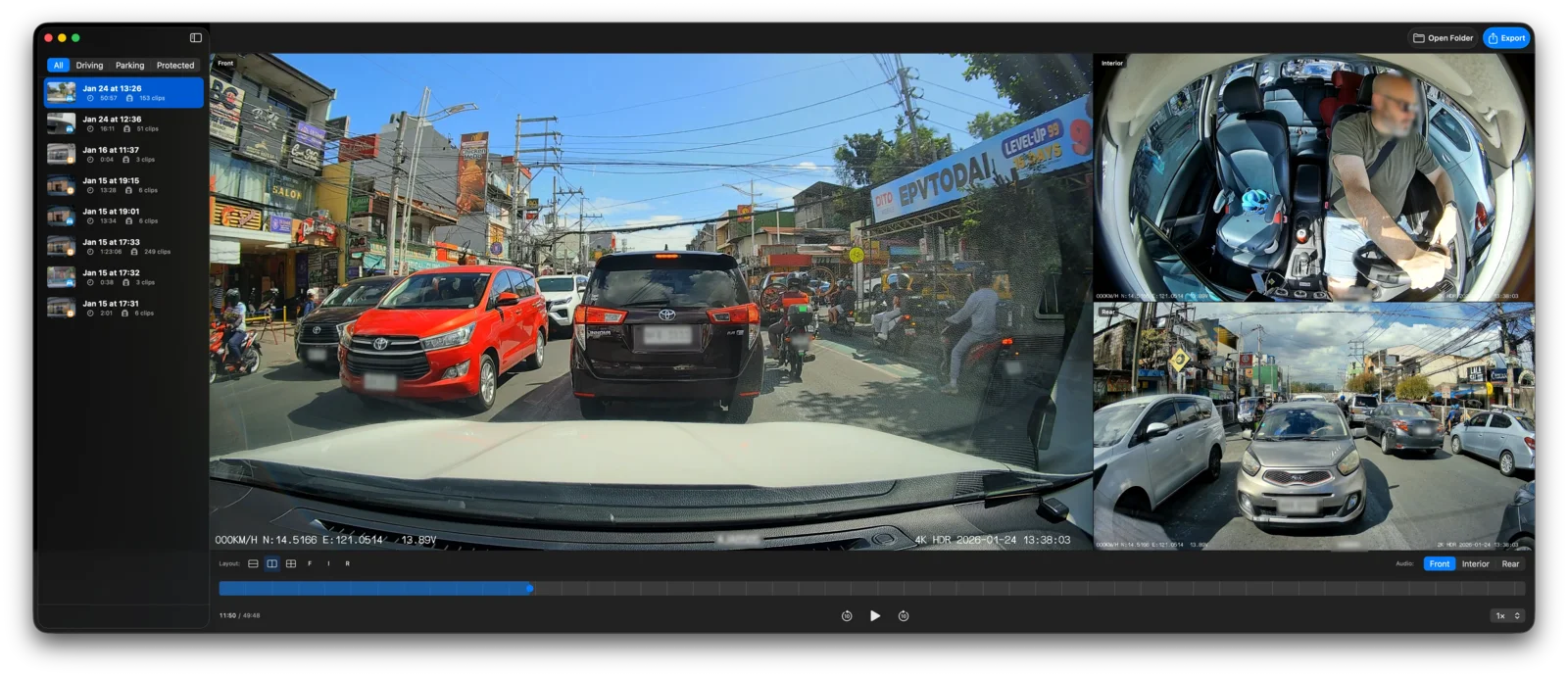
Five layouts
Tall exports tall, Wide exports ultrawide. The frame follows the layout, at your cameras' own resolution.
Including Tesla HW4 pillar cameras.
Press T, W or G to switch layouts, C to cycle, or a number key for a single camera.
Aspect 32:27
Multi-session export
Pick the good stretches across as many sessions as you like.
Days of driving become a single video worth sharing.
GPS route
The route and the vehicle position track playback.
With an optional speed indicator, or export the route on its own as a GPX file.
For cameras that record GPS data.
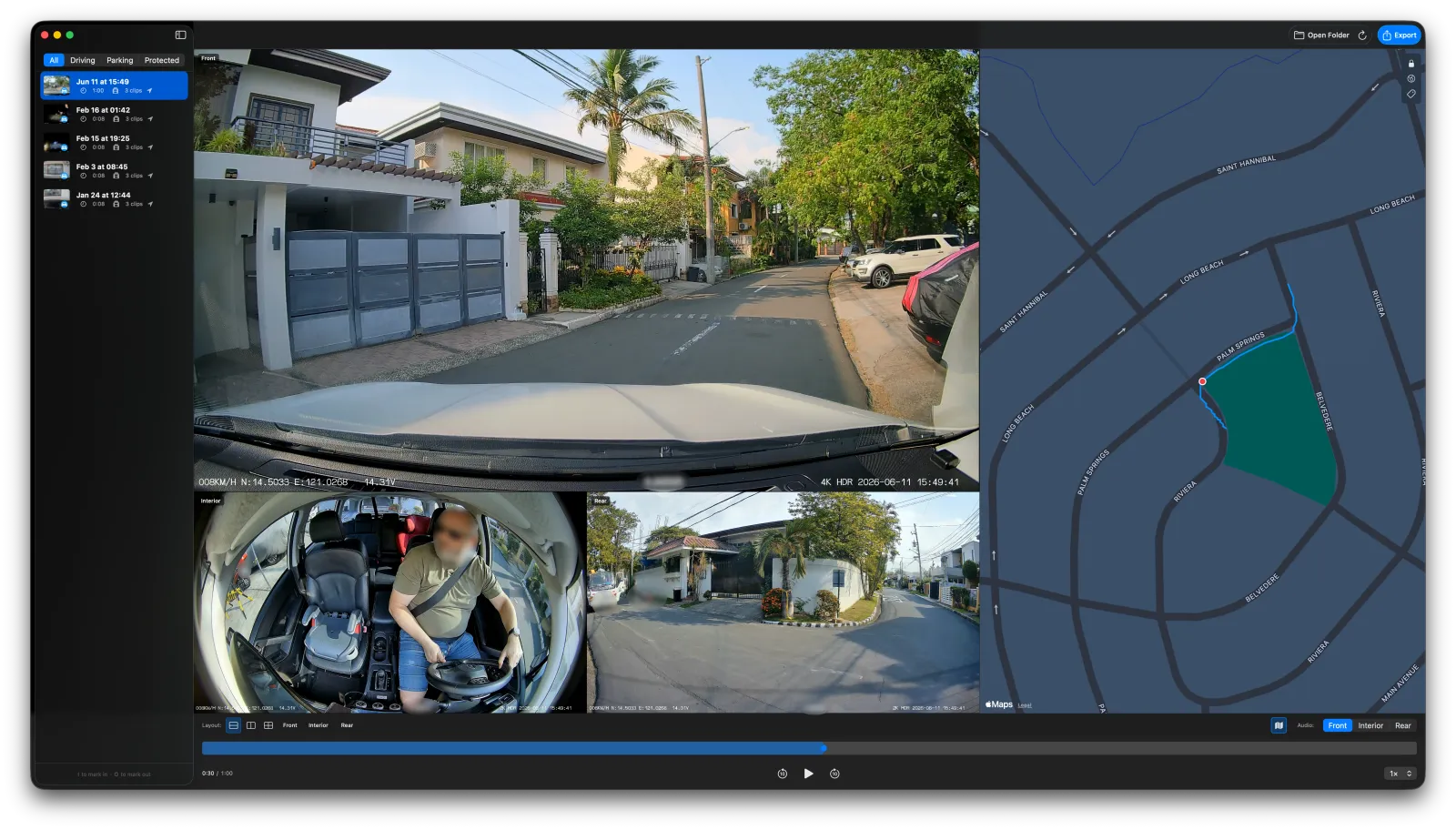
Automatic face masking
Pro unlocks automatic face masking and privacy zones. Faces are masked as they move through the frame; a privacy zone covers a fixed part of the frame for the whole export.
Face analysis happens on your Mac; nothing is uploaded.
Masking runs as you export, and a privacy zone you draw covers plates, doorways or anything else that should stay hidden.
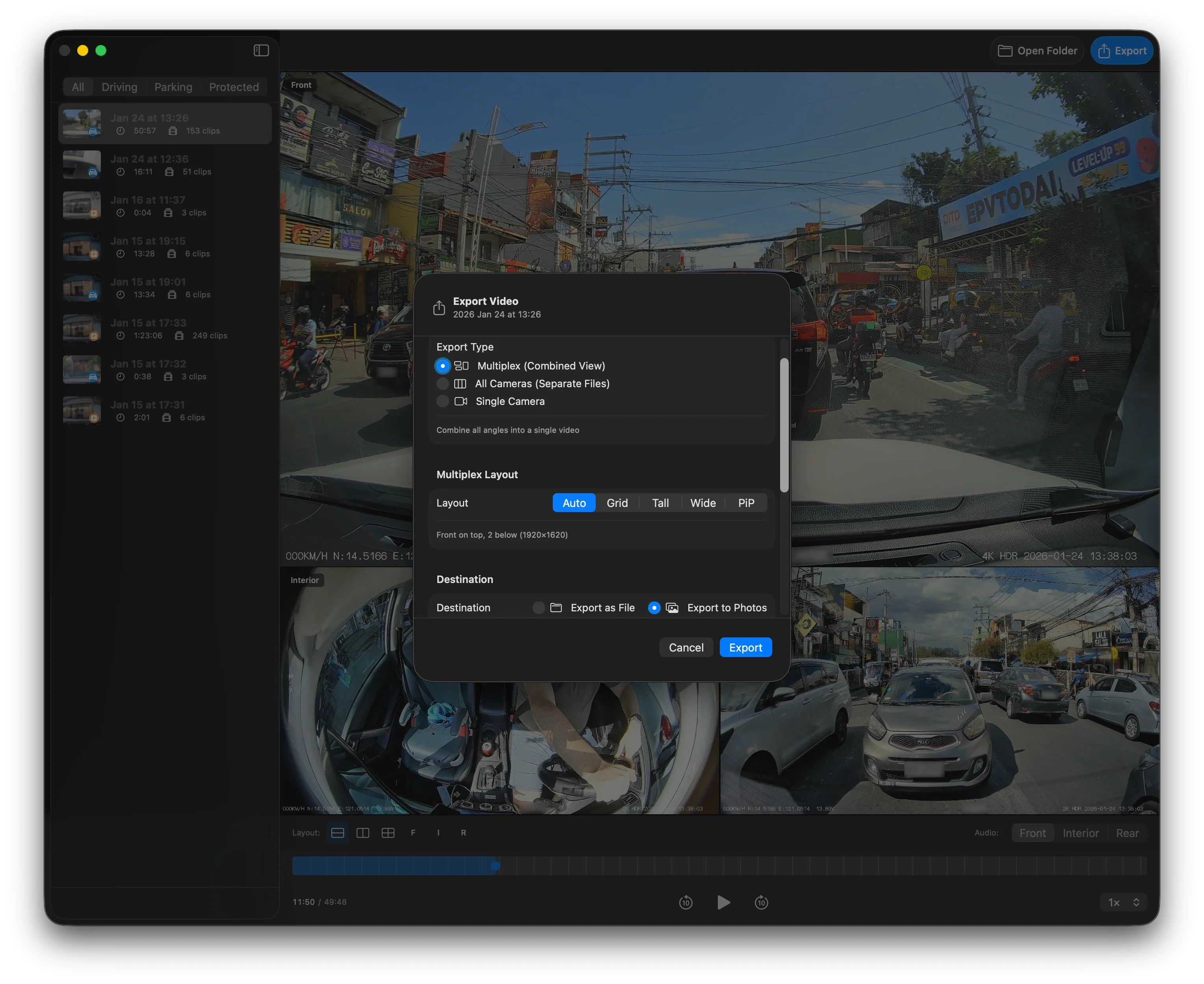
Export a standard MP4 to disk, or straight into Photos. Once exported to Photos, your footage syncs across your devices when iCloud Photos is enabled.
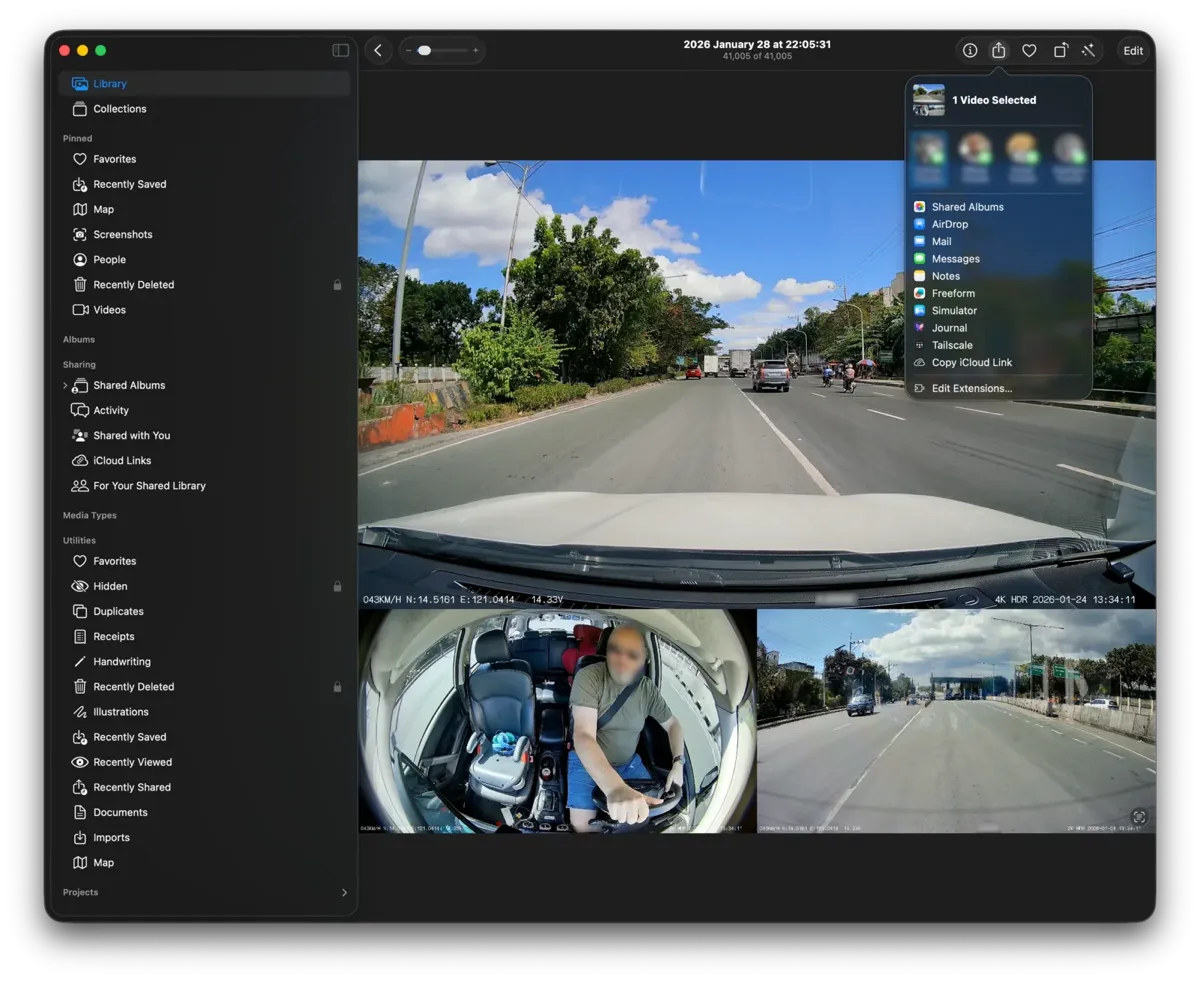
Available on your iPhone, iPad, and Apple TV when iCloud Photos is enabled.
Wireless sharing with anyone nearby in full quality.
Send clips to friends or insurance agents in seconds.
Desktop, external drive, or NAS.
Dashcam Export understands the file structures and naming conventions of popular multi-camera dashcams.
| Camera | Models | Support | Details |
|---|---|---|---|
| Tesla | All models; Sentry Mode and Dashcam | Supported | All six HW4 cameras, including pillar cameras. Tesla GPS is beta. |
| VIOFO | A129, A139, and more | Supported | |
| BlackVue | DR900, DR750, and more | Supported | GPS is unavailable. |
| Kenwood | DRV-A610W | Supported | GPS is unavailable. |
| 70mai | A810 with RC12 rear, M310 | Supported | |
| XEGA | 4G Dual | Supported | Front and interior. GPS available. |
| Generic | ISO 8601, underscore and compact timestamps | Supported | Grouped by file timestamp, without camera positions. |
| Vueroid | S1 4K | Experimental | Verified from sample clips only. |
Complete samples help me add support for more camera families and features.
If your sample covers a camera I don’t have fixtures for yet, I’ll send you a free App Store promo code.
Donate sample clipsEverything you need to know about Dashcam Export.
Still have questions? Get in touch
Free & Pro
No subscription, no account, no cloud. Pro is a one-time unlock on the Mac you already own.
$0
Everything you need to review and export. Exports carry a watermark.
$39.99 USD
Two things Free does not do, and both are about sharing.
Unlock inside the app whenever you need it. Everything else is free.
Just your footage, how you want it, where you want it.
Download Free on Mac App StoreFree to use · Pro is $39.99 USD, one time
Requires macOS 15 Sequoia or later. Apple Silicon or Intel Mac with Metal support.